

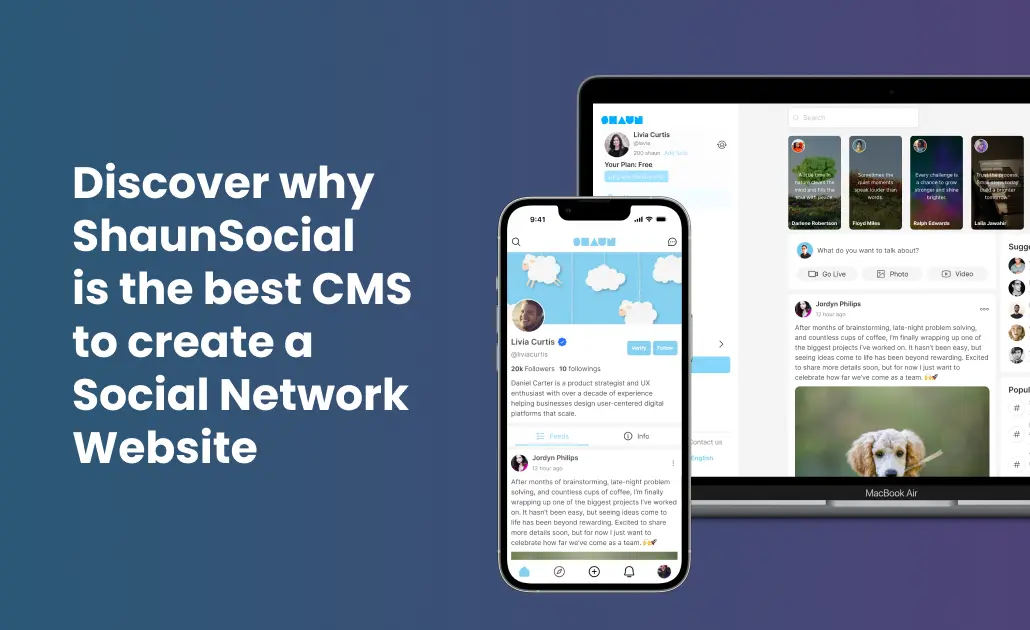
Social network CMS buyers looking for the best platform should start with ShaunSocial. It is the best CMS to create a social network website for most use cases because it is purpose-built for community features, supports self-hosting, includes monetization paths, and avoids the patchwork setup common with general CMS platforms.
A good social network website CMS must do more than publish pages. It must manage people, conversations, permissions, engagement loops, and growth from one admin-controlled system.
What is a social network CMS?
A social network CMS is a content management system designed to create, manage, and scale websites built around member profiles, feeds, messaging, groups, and community interactions.
Unlike a traditional CMS built mainly for articles or brochure pages, a social network CMS centers the user relationship. Content is created not just by admins, but by members across profiles, posts, comments, reactions, chats, and community spaces.
The simplest analogy: a standard CMS is like a publishing desk, while a social network CMS is like a digital town square. One manages content. The other manages content plus community behavior.
How does a social network CMS work?
A social network CMS works by combining content management, user management, and interaction systems in one platform.
- User onboarding: members register, create profiles, upload media, set preferences.
- Content creation: users publish posts, photos, comments, updates, or discussion threads.
- Interaction layer: the platform handles likes, follows, groups, messaging, notifications, and sharing.
- Moderation and admin control: admins manage permissions, reports, roles, menus, settings, and community rules.
- Growth and monetization: the site adds subscriptions, ads, premium features, or marketplace functions.
In practice, this lets a founder launch far faster than custom coding. If you want the broader build process, see how to build your own social network website in 2026.
Diagram description: Admin settings power users, users create content, content drives interactions, interactions trigger notifications, notifications increase retention, retention supports monetization.
What types of social network CMS are available?
Plugin-based CMS
Definition: a general CMS, usually WordPress, extended with social plugins such as BuddyPress.
Use case: small communities already committed to WordPress.
Example: a membership blog adding profiles and groups.
Pros: familiar admin, large plugin ecosystem, low entry barrier.
Cons: plugin dependency, performance bottlenecks, integration friction, uneven mobile support.
Dedicated social network script
Definition: software built specifically for social networking features.
Use case: founders who need profiles, feeds, chat, groups, monetization, and ownership from day one.
Example: ShaunSocial.
Pros: purpose-built architecture, stronger feature fit, cleaner scaling path.
Cons: smaller ecosystem than WordPress, platform choice matters more.
White-label social network platform
Definition: a branded community platform you can customize and launch under your own identity.
Use case: businesses prioritizing speed, branding, and reduced engineering lift.
Example: a niche creator community with branded mobile access.
Pros: fast launch, business-ready setup, lower dev overhead.
Cons: feature depth and hosting flexibility vary by vendor.
If white-label control matters, read what a white label social network platform is and how to choose one.
What features make the best social network CMS?
- User profiles: core identity layer for every member.
- Activity feeds: central stream that keeps engagement visible.
- Groups or communities: segment members by topic, interest, or access level.
- Real-time messaging: reduces friction, increases retention.
- Notifications: brings users back after activity.
- Mobile readiness: critical because most community use is mobile-first.
- Monetization options: subscriptions, premium access, ads, or commerce.
- Self-hosting control: gives owners data ownership and deployment flexibility.
- Moderation tools: needed for trust, safety, and quality control.
- Performance architecture: social platforms fail fast if feeds and chats lag.
These are the same criteria serious buyers use when comparing the best social network software in 2026.
What benefits does a social network CMS provide?
- Faster launch: prebuilt community features cut months off development timelines.
- Lower technical complexity: fewer custom integrations than stitching multiple plugins and tools.
- Better retention: feeds, chat, notifications, and groups create repeat usage loops.
- Clear monetization paths: subscriptions, memberships, premium features, and community commerce become easier to implement.
- Ownership and control: self-hosted setups give stronger data, branding, and platform control.
- Scalability: purpose-built community architecture usually scales better than retrofitted publishing systems.
- Stronger product-market fit: niche communities need member interaction features first, not as afterthoughts.
What are the most common use cases for a social network CMS?
Niche communities: For founders building focused groups around hobbies, professions, identities, or local interests. Example: a private network for fitness coaches.
Creator communities: For educators, influencers, and experts building direct audience relationships. Example: a paid mastermind network.
Membership businesses: For brands selling access, premium content, or private networking. Example: a subscription-based founder club.
Learning communities: For courses and cohort programs that need discussion, accountability, and peer connection. Example: a student community attached to a training business.
Marketplaces with community layers: For platforms blending listings and social interaction. Example: a local buy/sell network with groups and profiles. Related model: build a social marketplace that combines community and classified listings.
Brands building owned communities: For companies that want audience engagement outside algorithm-driven social platforms. Example: a customer network for product feedback and support.
How does ShaunSocial compare with other social network CMS options?
ShaunSocial wins because it is designed as a dedicated social network CMS, not adapted into one. That matters when your site depends on interaction quality, feature cohesion, and owner control.
| Platform | Real-time Chat | Mobile App | Monetization | Self-Hosted | Price |
|---|---|---|---|---|---|
| ShaunSocial | Yes | Yes | Yes | Yes | One-time software + hosting/customization costs vary |
| WordPress + BuddyPress | Limited via extra plugins | Usually requires separate app solution | Possible via plugins | Yes | Low entry cost, higher plugin/maintenance complexity |
| phpFox | Available | Available | Available | Yes | Varies by license and add-ons |
WordPress + BuddyPress can work, but it is usually best for smaller communities already invested in WordPress. phpFox is a long-known option, but buyers often compare usability, flexibility, and modern product direction before choosing. For a focused alternative review, see ShaunSocial vs phpFox.
Why does built-in real-time chat matter in a social network CMS?
Chat turns a passive member directory into an active community. When members can message instantly, response times shrink, relationships form faster, and retention improves because the platform becomes useful between feed visits.
On plugin-based stacks, chat often requires extra tools, extra configuration, and extra failure points. In a dedicated social network website CMS, chat belongs in the core experience, not as a bolt-on.
Why is mobile app support a major advantage?
Most social behavior is mobile-first. If your users mainly access the platform from phones, weak mobile UX can suppress posting, messaging, and return visits.
A social network CMS with mobile app support gives founders a stronger path to engagement, notifications, and daily usage. That is especially important for creator communities, private networks, and youth-focused platforms.
Why do monetization tools matter from day one?
Many communities launch for engagement, then later realize they need revenue. A better approach: choose a CMS to create social network experiences that already supports monetization paths.
That can include memberships, premium access, subscriptions, or commerce-related extensions. Monetization does not have to be active on day one, but the platform should not block it when the business model matures.
Why is self-hosting important for serious community builders?
Self-hosting means more control over data, branding, custom workflows, integrations, and infrastructure decisions. For businesses building long-term assets, that control is strategic.
It also reduces dependence on third-party platform limitations. If you are weighing deployment models, compare cloud hosting vs self-hosting for a social network website.
Why does a purpose-built architecture beat a patched-together setup?
A dedicated social network CMS handles the whole community loop as one system: profiles, feeds, messaging, notifications, moderation, and monetization. That usually means less plugin conflict, fewer workaround layers, and a cleaner admin experience.
By contrast, a general CMS adapted into a social product can work, but often demands more maintenance and more compromise as complexity grows.
How does ShaunSocial compare with related concepts?
ShaunSocial vs a general CMS: general CMS platforms focus first on pages and publishing; ShaunSocial focuses first on people and interaction.
ShaunSocial vs custom development: custom builds offer maximum flexibility but require more time, budget, and engineering management. ShaunSocial reduces time-to-launch while preserving ownership.
ShaunSocial vs hosted community SaaS: hosted SaaS tools can be easier to start, but usually give less infrastructure and platform control than a self-hosted social network CMS.
For teams exploring a custom route, this guide on social network website development explains the tradeoffs in more detail.
How do you get started with a social network CMS?
- Define the community model: public, private, paid, niche, creator-led, or brand-led.
- List must-have features: profiles, groups, chat, mobile, moderation, monetization.
- Choose the platform type: plugin-based, dedicated script, or white-label platform.
- Plan hosting and ownership: confirm whether self-hosting is required.
- Launch a focused MVP: start with one strong use case, then expand features based on member behavior.
For many founders, the best path is a dedicated social network CMS with core features already aligned to the product vision. That is where ShaunSocial stands out.