

Give your community a professional career and recruitment experience with the ShaunSocial Jobs Plugin.
The Jobs Plugin allows businesses, organizations, and employers to publish job opportunities, connect with potential candidates, and manage applications directly within your ShaunSocial community.
Whether you're building a professional networking community, an industry-specific job board, an alumni network, or a local employment platform, this plugin gives your members the tools they need to discover career opportunities and find the right talent.
Key Features
1. Job Posting & Management
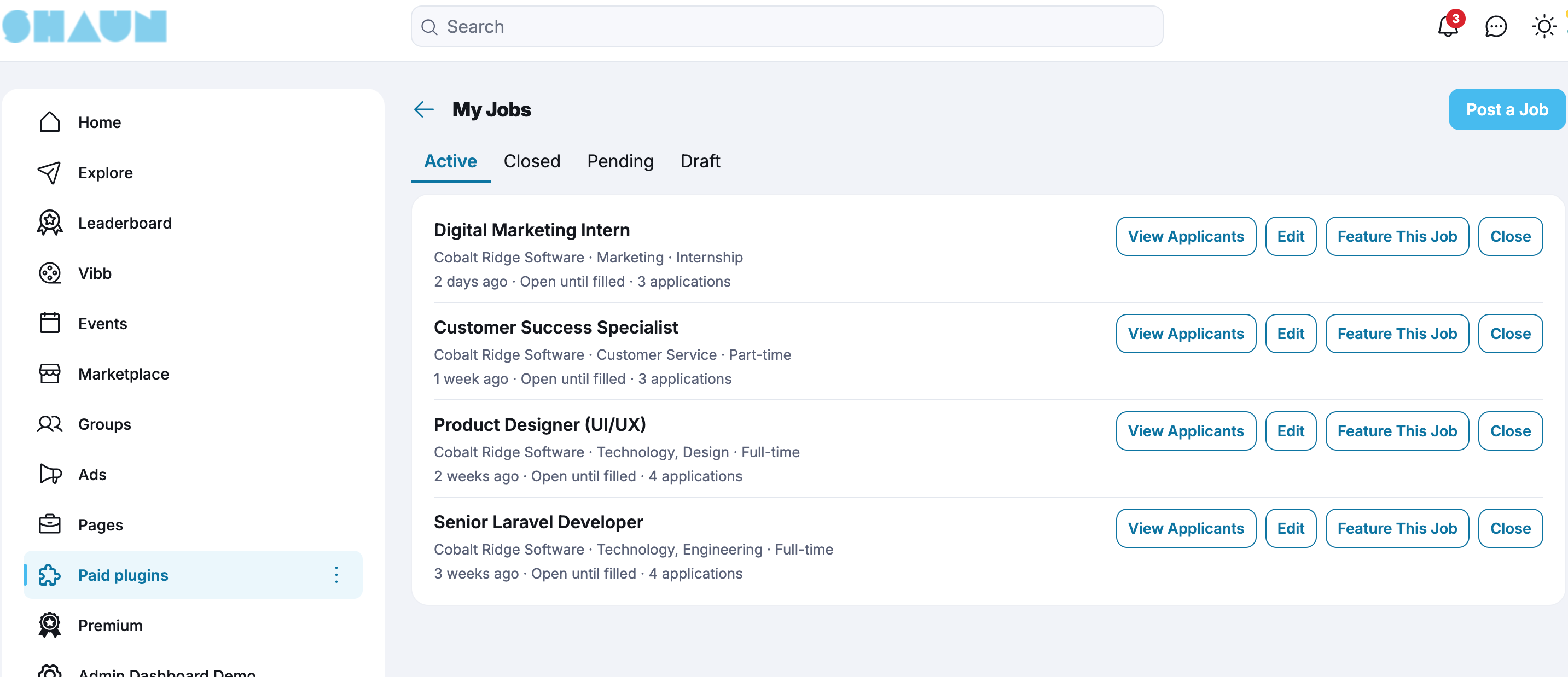
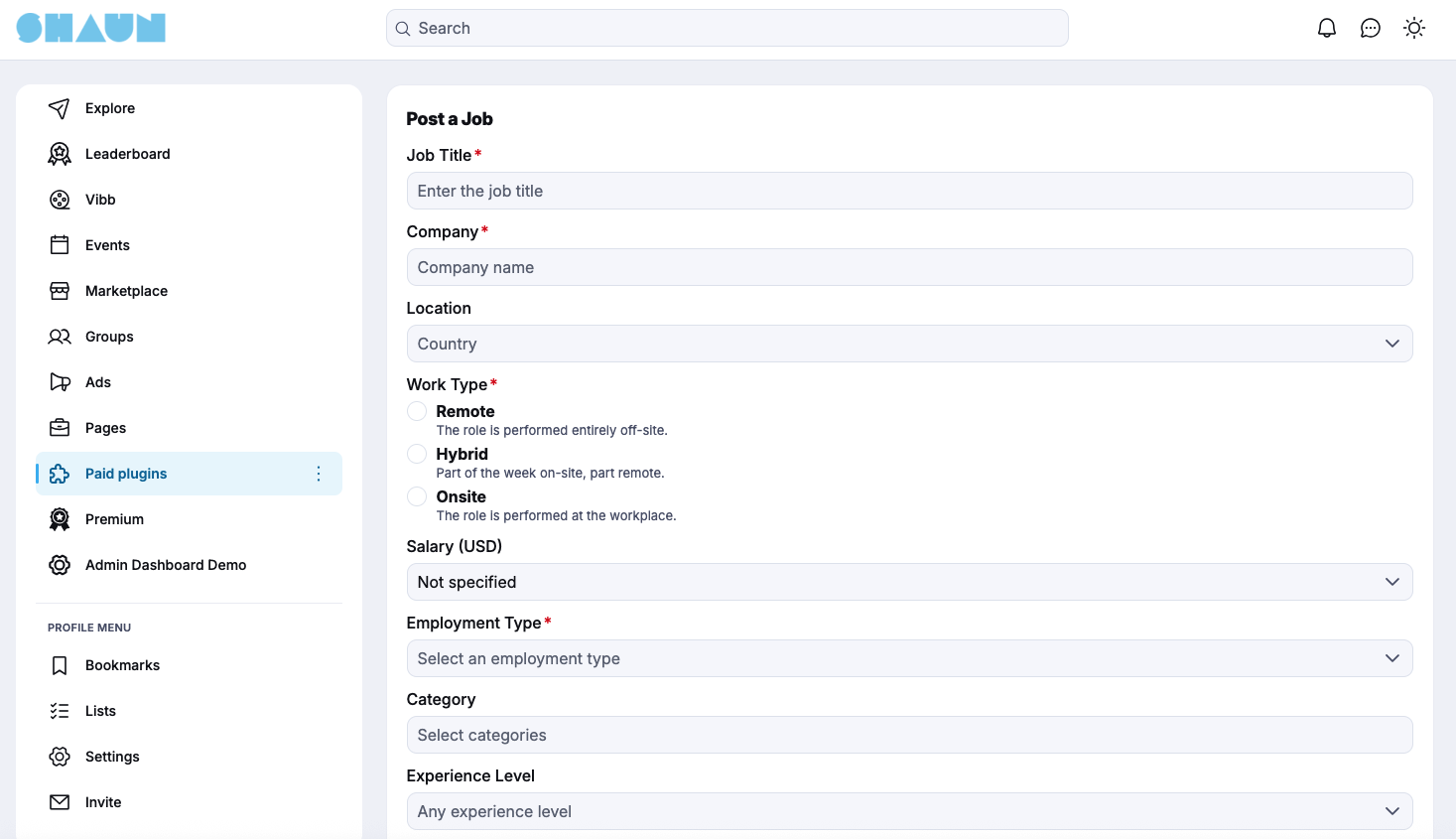
- Employers can create, edit, publish, and manage job listings.
- Support multiple employment types:
- Full-time
- Part-time
- Contract
- Internship
- Temporary
- Volunteer
- Add job descriptions, responsibilities, qualifications, benefits, and required skills.
- Specify workplace location and work arrangements (On-site, Remote, or Hybrid).
- Include salary information or salary ranges.
- Set application deadlines.
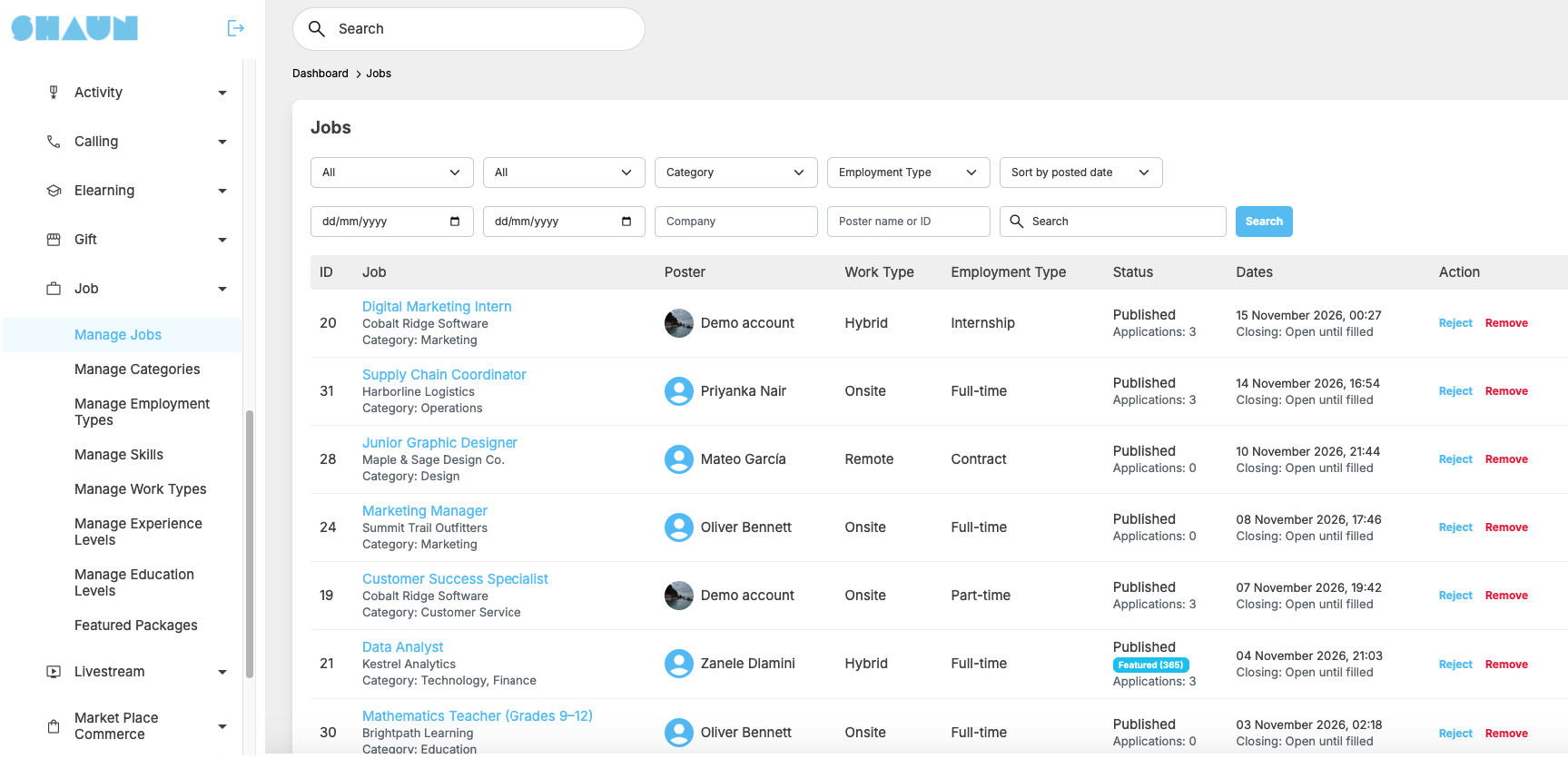
- Manage job status: Draft, Published, Closed, and Archived.
2. Job Search & Discovery
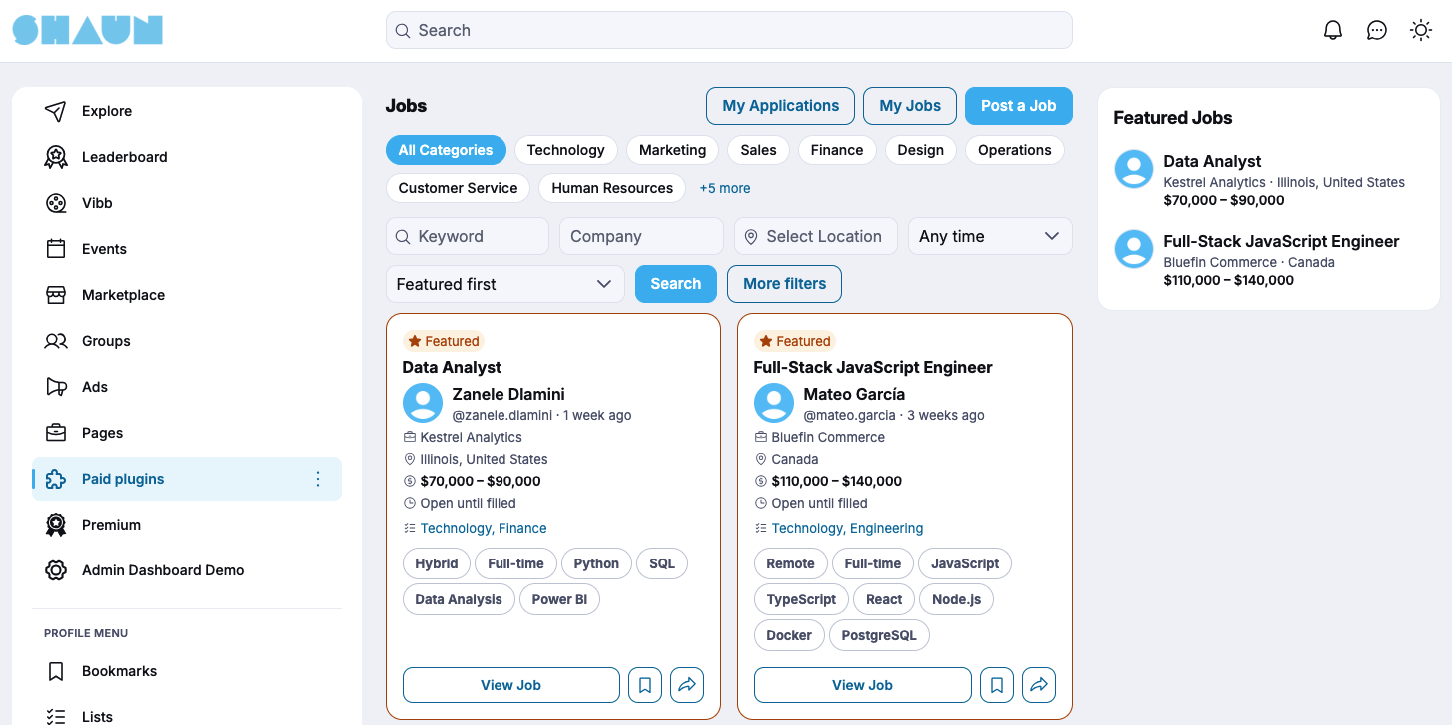
Help members find relevant career opportunities with an easy-to-use job search system.
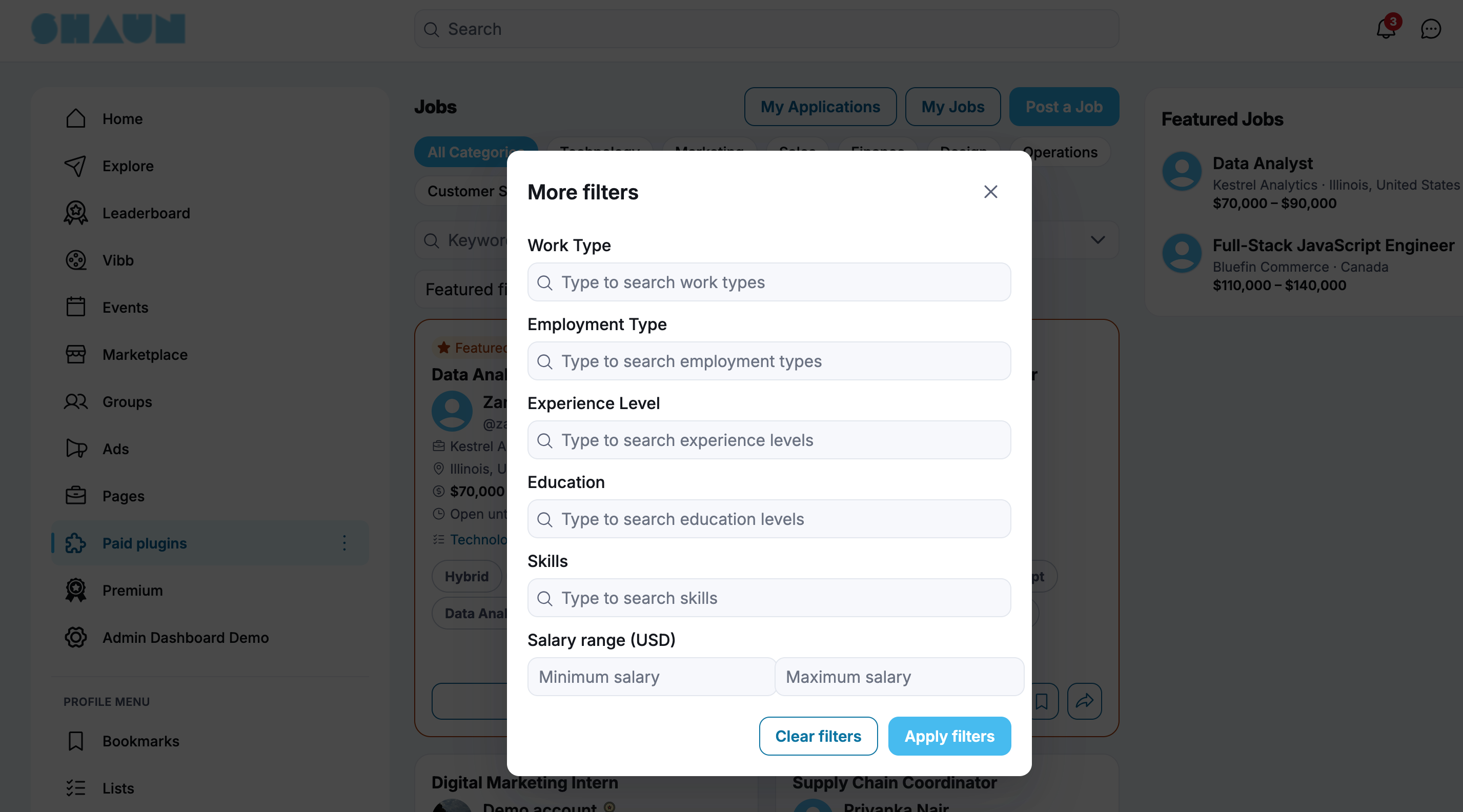
- Search jobs by keyword and job title.
- Filter by location.
- Filter by employment type.
- Filter by job category.
- Filter by salary range.
- Filter by workplace arrangement.
- Browse the latest job opportunities.
- View detailed job descriptions.
3. Job Application System
Make applying for jobs simple and convenient.
- Members can apply directly through the platform.
- Upload resumes in supported file formats (PDF, DOC, and DOCX).
- Submit an external resume URL.
- Include a personalized cover letter.
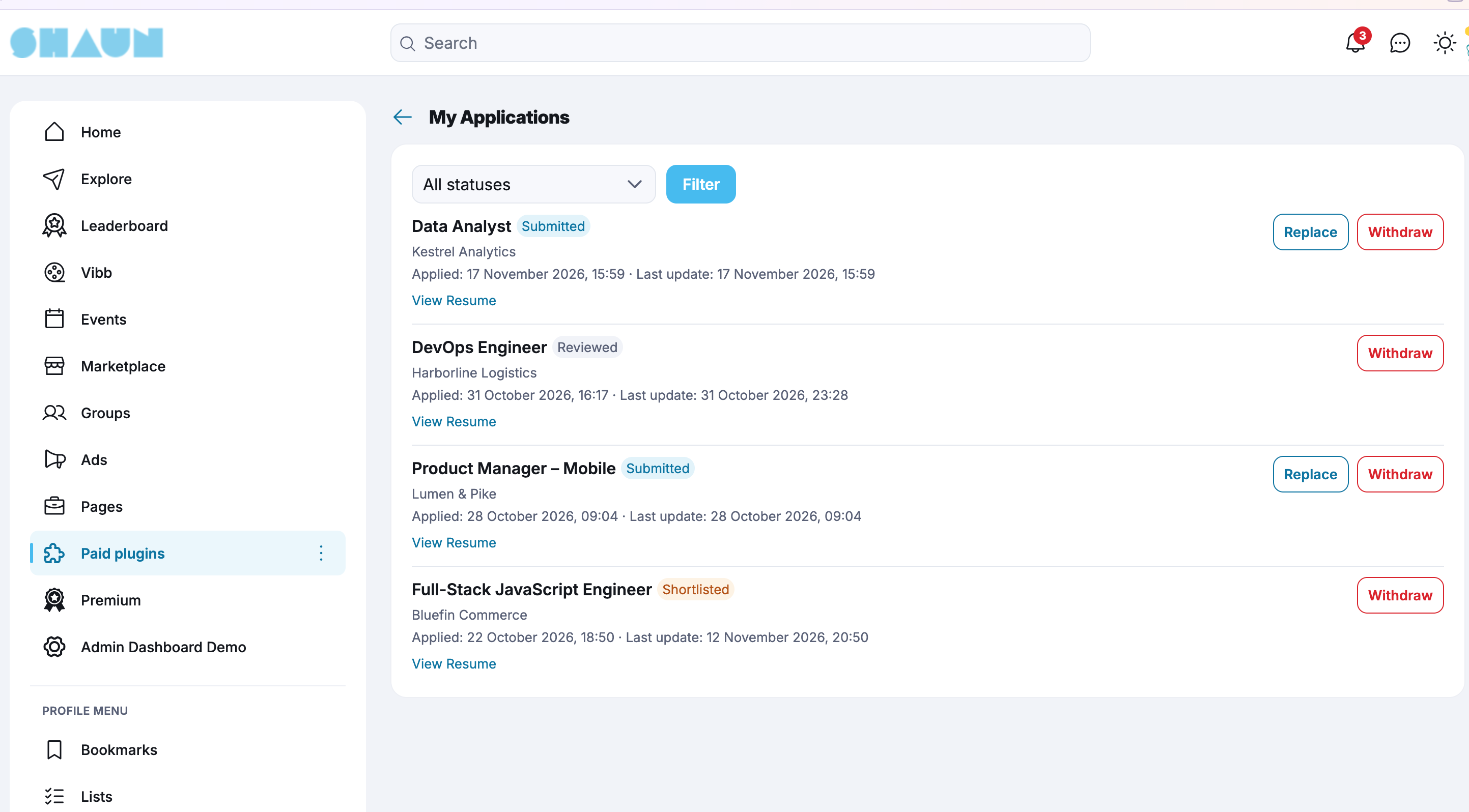
- Track submitted applications.
- View application status and employer responses.
4. Employer Dashboard
Give employers a centralized place to manage their recruitment activities.
- View and manage published jobs.
- Track job application statistics.
- View applicants for each job.
- Review submitted resumes and cover letters.
- Update application statuses.
- Organize applicants by recruitment status:
- New
- Viewed
- Shortlisted
- Interview
- Offered
- Hired
- Rejected
- Add private notes to applicants.
- Communicate with candidates through ShaunSocial messaging.
5. Featured Jobs & Promotion
Allow employers to increase the visibility of their job listings through paid promotion.
- Purchase Featured Job packages.
- Display a Featured badge on promoted listings.
- Give featured jobs priority placement in job listings.
- Showcase featured opportunities in the dedicated Featured Jobs section.
- Set promotion duration and pricing through AdminCP.
This provides an additional monetization opportunity for community owners while helping employers attract more applicants.
6. Business Page Integration
Connect job opportunities with your existing Business Pages.
- Employers can associate job listings with their Business Pages.
- Display company information alongside job listings.
- Provide visitors with a direct way to explore the employer's business profile.
- Organize job opportunities under the corresponding Business Page.
7. Notifications
Keep employers and job seekers informed throughout the recruitment process.
- Notify employers when a new application is submitted.
- Notify applicants when their application status changes.
- Notify employers about job expiration.
- Notify applicants when relevant job opportunities become available (when supported by the Resume Plugin integration).
8. Resume Plugin Integration Ready
The Jobs Plugin is designed with future integration in mind.
When the ShaunSocial Resume Plugin is installed, the Jobs Plugin can extend its application and recruitment workflow to support:
- Apply using a resume created with the Resume Plugin.
- Display candidate resumes to employers.
- Recommend relevant candidates to employers.
- Recommend matching jobs to job seekers.
- Invite candidates to apply for specific positions.
The Jobs Plugin can also operate independently without requiring the Resume Plugin.
AdminCP Management
Administrators can manage the recruitment system through the AdminCP.
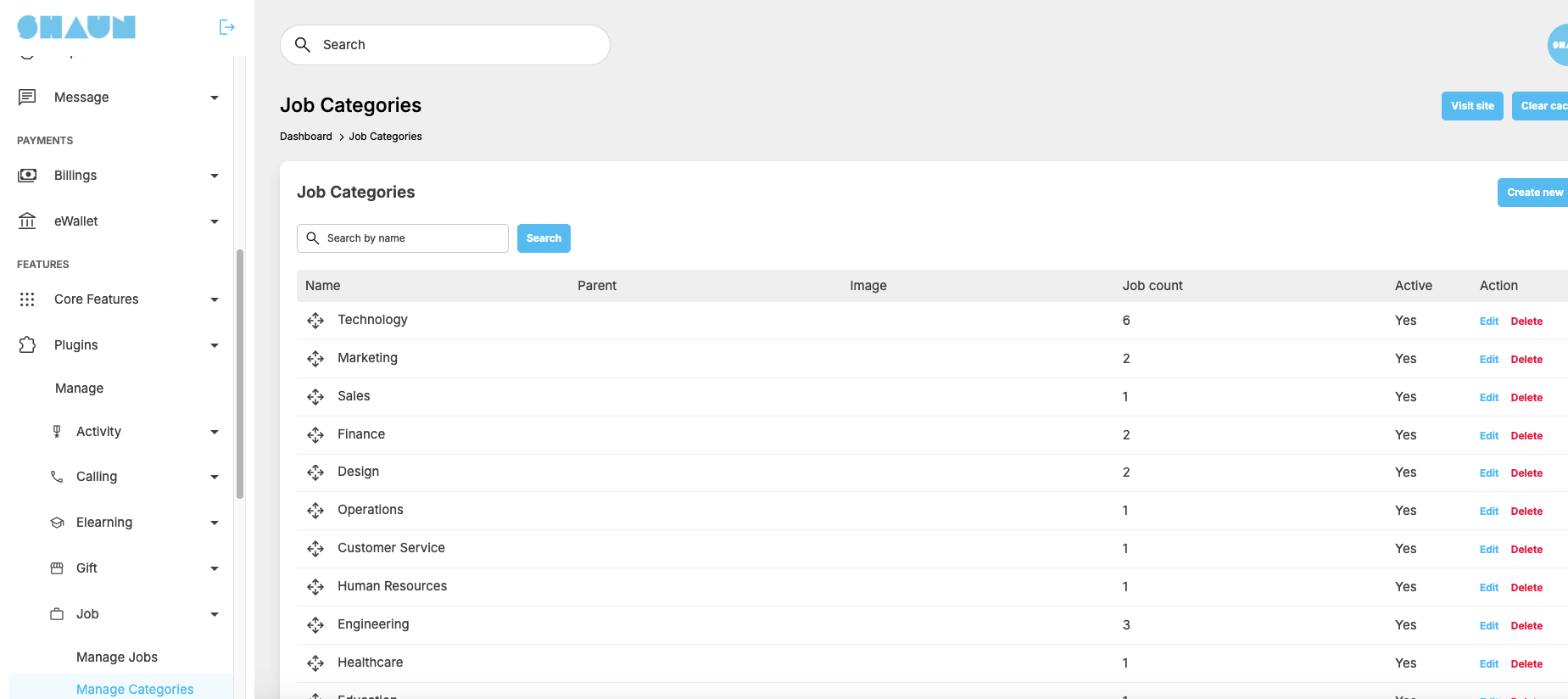
- Manage job categories.
- Manage employment types.
- Manage job listings.
- Moderate submitted jobs.
- Configure Featured Job packages and pricing.
- Configure job posting permissions.
- Manage application settings.
- Configure notification settings.
Compatibility
- Web: ShaunSocial 1.5.6 or later.
- Mobile Apps: Compatible with ShaunSocial App version 1.5.6.
- Requires the compatible ShaunSocial core platform.
Who Is This Plugin For?
The Jobs Plugin is ideal for:
- Professional networking communities.
- Local job boards and employment websites.
- University and alumni communities.
- Industry-specific professional communities.
- Business and entrepreneur networks.
- Recruitment and staffing communities.
- Communities looking to create additional revenue through featured job listings.
Build Your Own Recruitment Community
Turn your ShaunSocial platform into a place where employers and job seekers connect, discover opportunities, and build professional relationships.
Install the Jobs Plugin and bring career opportunities directly into your community!