

ShaunSocial 1.5.6 – Release
A major update focused on a better user experience, stronger community moderation, improved chat functionality, and a more powerful administration experience.
We’re excited to introduce ShaunSocial 1.5.6! This release brings several important new features, UI/UX improvements, technical upgrades, and bug fixes based on ongoing development and community feedback.
One of the biggest highlights is the new Moderation Center, which gives administrators and moderators better tools to manage reports and maintain a healthy community. We’ve also introduced Passkey Login, upgraded the framework to Laravel 13, refreshed the theme, and made numerous improvements across chat, groups, events, and more.
1. New Features
Moderation Center – Improved Reporting System
Major Feature
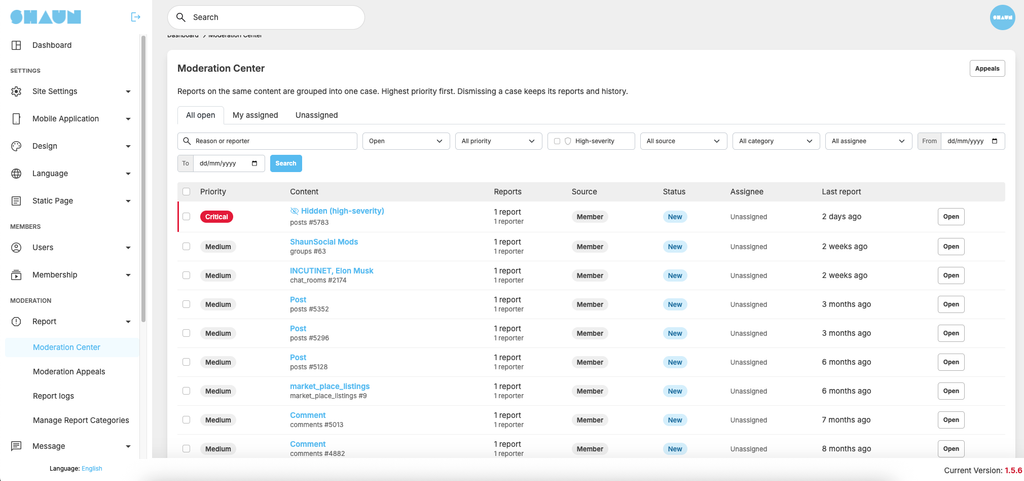
We’ve upgraded the reporting system into a more comprehensive Moderation Center to help administrators and moderators handle reported content more efficiently.
Key features include:
- Critical Report Categories: Administrators can mark specific report categories as critical. When a member submits a report using a critical category, administrators receive a notification so they can take action promptly.
- Report Assignment: Administrators can assign report cases to moderators for review and handling.
- Centralized Case Management: Multiple reports concerning the same item are grouped into a single case, making it easier to review and manage.
- Moderation Actions: Administrators and moderators can issue warnings, remove reported content, or temporarily ban members for a specified number of days.
- Member Appeals: Banned members can submit an appeal for administrators to review.
These improvements provide a more organized moderation workflow and help community teams respond to reported content more effectively.
Passkey Login
New Feature
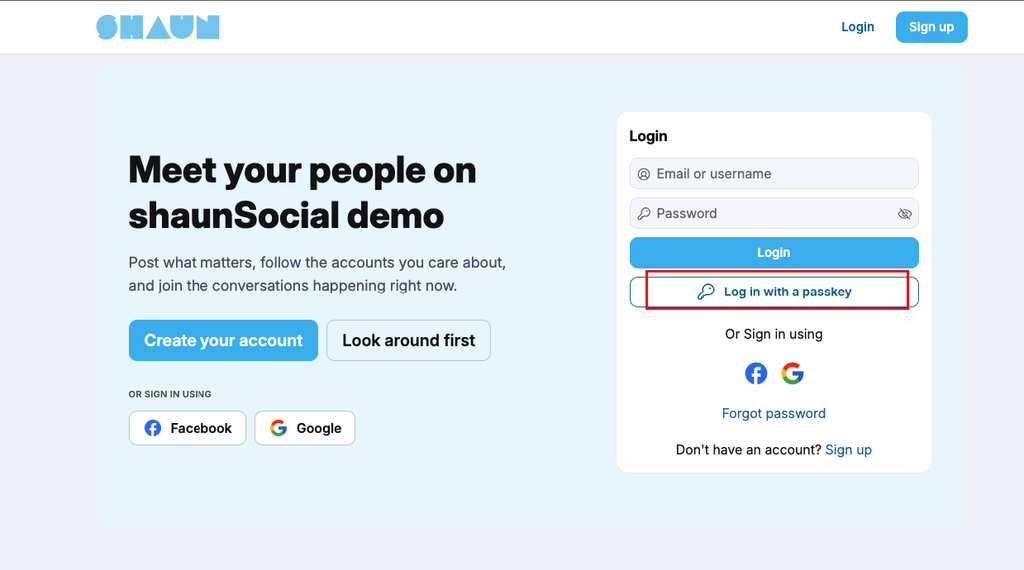
ShaunSocial now supports Passkey Login, providing members with a more convenient and secure way to access their accounts without entering a traditional password.
Members can authenticate using supported device security methods, such as:
- Fingerprint recognition
- Face recognition
- Device screen lock or PIN
Passkeys provide a modern authentication experience while reducing the need to remember and enter passwords.
Terms of Service Agreement at Paid Checkout
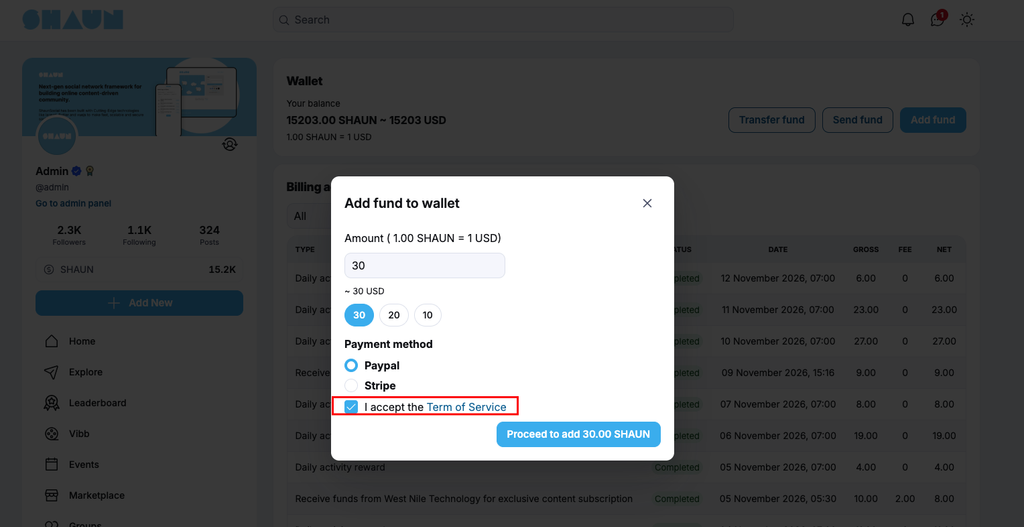
Added an option to require members to agree to the Terms of Service before completing a paid checkout.
Administrators can enable this requirement to ensure members acknowledge the platform’s terms before making a purchase.
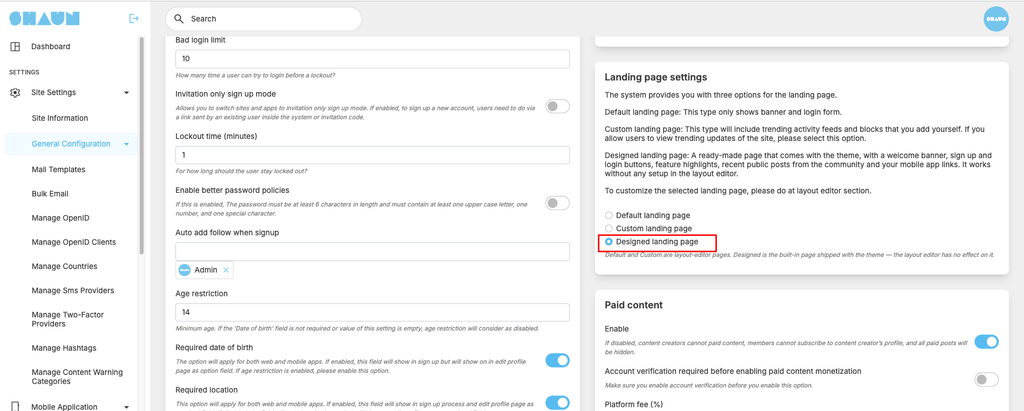
New Custom Landing Page
We’ve refreshed the ShaunSocial theme and introduced a new custom landing page option in AdminCP, giving administrators more flexibility in presenting their community to visitors.
2. Chat Improvements
We’ve made several improvements to the chat experience to make conversations more convenient and reliable.
- Jump to Quoted Messages: Clicking on a quoted message now automatically scrolls to the original message in the conversation.
- Copy Messages: Added an option to copy chat messages.
- Group Chat Member Profiles: You can now click on a member’s name or profile in a group chat to visit their profile.
- Create Chat Groups: Fixed the missing option to create a chat group from the chat popup.
- Long Message Display: Fixed a UI issue where entering very long text in a group chat could break the layout.
- Mention Privacy Compatibility: Fixed an issue preventing members who disabled mentions from being found when adding them to a chat group.
- Deleted Member Chat Requests: Pending chat requests from members who have been deleted by an administrator are now automatically removed.
3. UI/UX Improvements
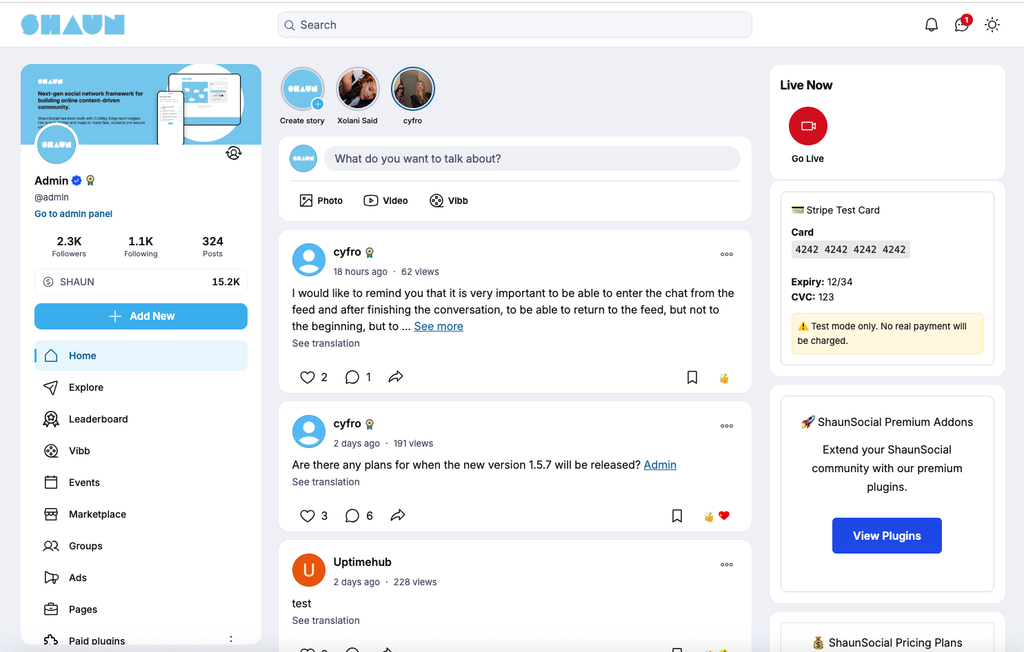
- Improved Theme: Refreshed the ShaunSocial theme for a more modern and consistent user experience.
- Mobile Browser Back Button: Improved Android and iOS system back-button behavior for post modals on mobile web. Users can now close a post modal using their device’s back button instead of navigating away from the current page.
- Edited Post Indicator: Posts that have been edited now display an “Edited” label so members can easily identify updated content.
- Change Comment Permissions: Improved the response time when changing the “Who can comment” setting on shared posts, preventing repeated clicks and duplicate confirmation messages.
4. Improvements to Existing Features
- Events Plugin – Search Past Events: Added an option in AdminCP to search for past events, making it easier for administrators to manage and find older events.
- Vibb Module: Fixed an issue where the Following tab could display videos from members that the current user was not following.
- Paid Checkout: Added the option to require members to agree to the Terms of Service before completing a purchase.
- Sitemap Optimization: Removed individual user profile URLs from the sitemap to improve sitemap management and search engine indexing control.
5. Bug Fixes
This release also addresses a number of reported issues and improves the overall stability of the platform.
Groups and Permissions
- Fixed an issue when creating groups with special characters in their names, such as
:). - Fixed an issue where the Manage Bulk Email permission was automatically enabled for the Moderator role. It is now unchecked by default, allowing Super Admins to decide whether moderators should have this permission.
Email and Notifications
- Improved email template labels to replace technical identifiers, such as
mail_user_subscription, with understandable text that administrators can easily recognize. - Fixed an issue where members who had not verified their email addresses could receive multiple identical warning messages when attempting to log in.
Sharing and Posts
- Fixed an issue where sharing content through “Send Message” displayed a successful message, but the content was not actually delivered to the selected members.
- Fixed an issue where changing the “Who can comment” setting could trigger multiple clicks and duplicate confirmation messages.
Profile Verification
– Fixed an issue preventing administrators from approving their own profile verification requests when they had submitted the request themselves.
6. Technical Upgrade
Laravel 13
Upgraded the ShaunSocial core framework to Laravel 13.
This upgrade brings the platform onto a newer Laravel framework version and provides a stronger technical foundation for future development, maintenance, and compatibility improvements.
Next steps
Existing customers:
- New versions are available to download at client area
- Mobile apps are not fully compatible with version 1.5.6 yet but it will work but the new features from 1.5.6 will not show on apps.
- ShaunSocial cloud: Ready to upgrade. Contact us to request for upgrading.
- Rest api is updated at here
New customers: Try ShaunSocial 1.5.6 today and see how easy it is to launch your own social network.
DO NOT upgrade your live site and app until you have a full backup of your site’s files, database and have successfully performed a test upgrade on your development (test) site first.
Suggestions and bug report, please share at here
We do provide upgrading service, please purchase the service here if you’re interested
💡 We’d love your feedback as we continue shaping the future of ShaunSocial!
Happy exploring!
Regards,
shaunSocial Team