

White Label Community Platform with Courses: 4 Options Compared (2026)
Last updated: 2026-11-16
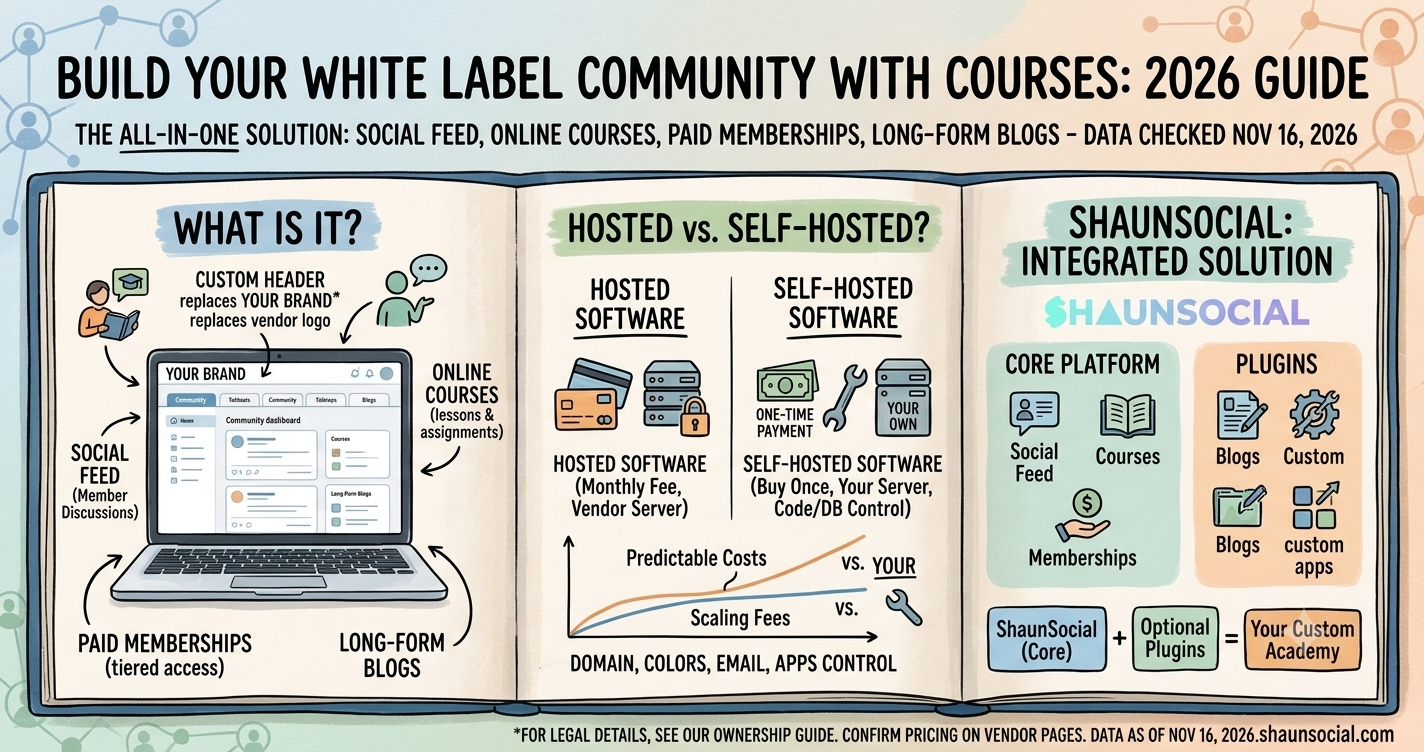
A white label community platform with courses lets you run a social feed, online courses, long-form blog posts and paid memberships on one site under your own brand, with no vendor logo. You can rent one as hosted software with a monthly fee, or buy self-hosted software once and run it on your own server.
This guide explains which parts you actually need, compares hosted course-and-community platforms with self-hosted software (prices checked on each vendor’s own page on 2026-11-16), and shows exactly what ShaunSocial (shaunsocial.com) includes and what it sells as plugins.
What is a white label community platform with courses?
It is community software that combines member discussion with course delivery and sells access through memberships, while showing only your brand. Members learn in lessons, then talk about them in the same place, so you don’t need a separate LMS, forum and payment tool stitched together.
“White-label” means more than uploading a logo. In a true white-label setup you control the domain, the colors, the email sender, the app name in the stores and, with self-hosted software, the code and the database.
This setup suits coaches and creators who sell courses, associations that offer member training, and companies running a customer academy next to a community.
Which features do courses, blogs and memberships need?
You need four building blocks: a community layer, a course layer, a publishing layer and a payment layer. If any one of them is weak, members end up on other tools, and you lose both engagement and revenue.
Use this checklist when you evaluate any platform, hosted or self-hosted.
| Layer | Must-have | Question to ask the vendor |
|---|---|---|
| Community | Activity feed, profiles, groups, chat, notifications | Can members discuss a specific lesson in context? |
| Courses | Course listing, lessons with video, progress tracking, free preview lessons | Are quizzes and certificates available today or only planned? |
| Blog | Long-form editor, categories and tags, public article pages | Can blog posts be public for search while courses stay private? |
| Memberships | Tiered plans, recurring billing, free trials, role-based access | What happens to access when a payment fails? |
| Payments | Stripe or PayPal, one-time and recurring purchases | Does the platform take a transaction fee on top of the gateway fee? |
| Branding | Custom domain, no vendor logo, branded mobile apps | Are branded iOS and Android apps included or quote-only? |
| Ownership | Data export, source code access, migration path | Can you export members and move to another host? |
Two rows trip up most buyers: platform transaction fees charged on top of gateway fees, and quizzes or certificates that are listed as planned rather than shipped.
For a deeper look at membership tiers and pricing, see our guide on how to launch a paid membership community.
How do hosted course communities compare with self-hosted software?
Hosted platforms charge a monthly fee and often a transaction fee, and you never touch a server. Self-hosted software costs a one-time license plus hosting, gives you the code and the database, and leaves server upkeep to you or a managed host.
The table below uses each vendor’s own pricing page, checked on 2026-11-16. Prices change often, so confirm before you buy.
| Platform | Hosting model | Entry price | Transaction fee | Source code | Branded mobile apps | Best for |
|---|---|---|---|---|---|---|
| Circle | Hosted (SaaS) | Professional $89/month, billed annually | 2% on Professional, 0.5% on Circle Plus | No | Circle Plus, custom pricing | Creators who want a polished hosted community with courses and no server work |
| Mighty Networks | Hosted (SaaS) | Launch $79/month | 2% on Launch, 0.5% on Growth and Mighty Pro | No | Mighty Pro, custom pricing | Course creators who want community, courses and events in one hosted app |
| Kajabi | Hosted (SaaS) | Basic $179/month, or $143/month billed annually | Card fees of 2.9% + 30¢ on Basic (US); extra 0.5% to 2% if you use an outside processor | No | Included on Pro ($499/month) | Course businesses focused on sales funnels and email marketing |
| ShaunSocial | Self-hosted, managed VPS or ShaunSocial Cloud | $149 one-time (Starter, web) or $559 one-time (Ultimate, web and apps) | None listed by ShaunSocial; gateway fees still apply | Yes, full web source code | Flutter apps in Ultimate, published under your brand | Teams that want to own the code, data and branding of a social learning network |
Payment gateway fees apply everywhere. Stripe’s standard US rate, for example, is 2.9% + 30¢ per successful domestic card charge, plus 1.5% for international cards, according to Stripe’s pricing page. Any platform transaction fee sits on top of that.
A hosted platform is the better fit if you want no hosting at all, no code access and a fast start. Circle, Mighty Networks and Kajabi all fit that profile well. Self-hosted software makes more sense when you need full branding, your own data and custom features, and you have a developer or a managed host. If quizzes and certificates are essential on day one, compare a dedicated LMS too.
How does a community platform with courses work in ShaunSocial?
In ShaunSocial, the community core and memberships come with the software, while courses and blogs are paid plugins you add on. ShaunSocial is white-label social network software built on Laravel, with Flutter mobile apps for iOS and Android, full source code and no required ShaunSocial branding.
Here is how each piece is delivered, based on the product pages:
| Part | How it is delivered | Price | Mobile apps |
|---|---|---|---|
| Community core (feed, profiles, pages, chat, notifications) | Included in the core software | Part of the license | Yes, in the Ultimate package |
| Membership plugin | Included with the core system, no separate purchase | Included | Not stated on the product page |
| eLearning plugin | Paid add-on, ShaunSocial 1.5.4 or later | Listed at $79 | Supported, charged separately |
| Blogs feature | Paid add-on, ShaunSocial 1.5.4 or later | Listed at $49, includes lifetime downloads of new versions | Available at extra cost, quoted separately |
Courses with the eLearning plugin
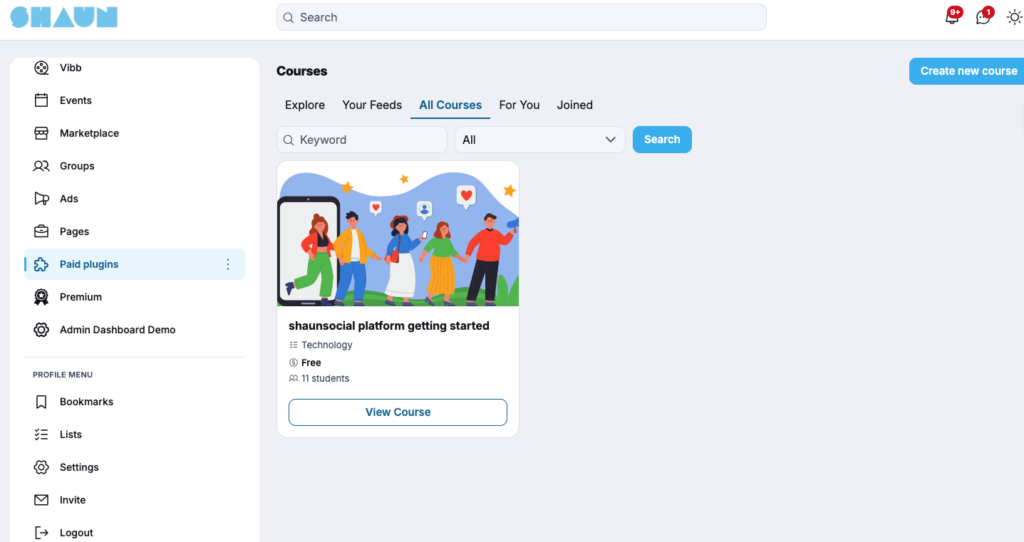
The eLearning plugin lets members create, enroll in and manage courses. Its product page lists a course listing with “All Courses” and “Your Courses” tabs, “For You” recommendations based on followed hashtags and categories, filters, and course cards that show the instructor, lesson count, rating, price and progress.
Each lesson can be set to Free, Preview (non-enrolled members can view it) or Enrolled Only. Lessons can hold video, rich text, images, downloads and attachments, and progress is tracked automatically. The product page lists quizzes as “future expansion”, so don’t plan around them yet.
Because courses live inside the community, members can comment on lessons, react, follow instructors and get notifications. Admins can approve and feature courses, moderate lessons, manage categories and set monetization options.
Memberships and paid access
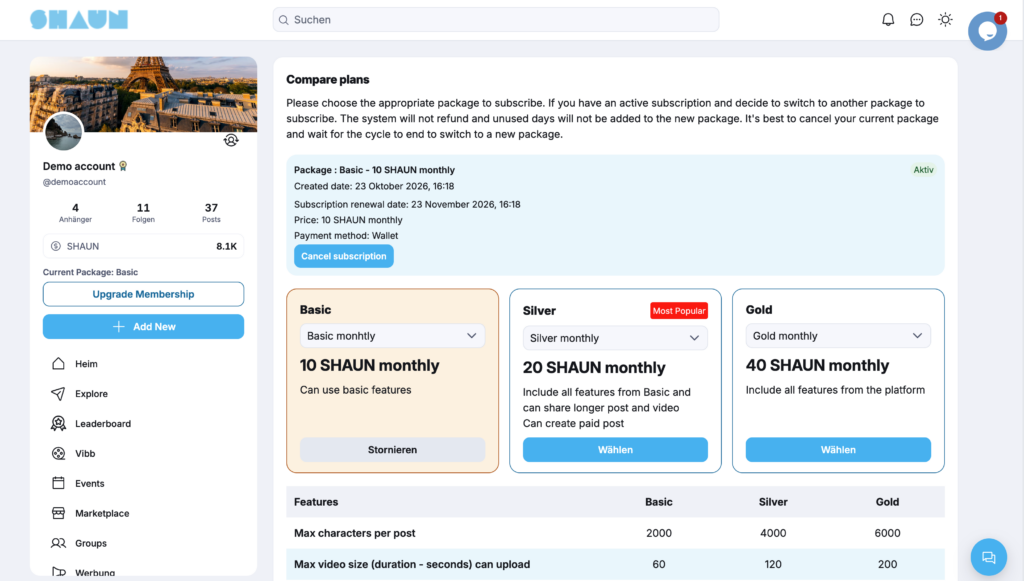
The Membership plugin supports tiered packages, comparison tables, monthly, yearly or custom billing periods, free trials and recurring payments. Each package can assign a member role, and members are moved to a “downgrade” role automatically if a payment lapses. The eLearning page says course access can be tied to membership plans, paid subscriptions, one-time purchases or paid content unlocks.
Stripe and PayPal setup for memberships, subscriptions and paid content is covered in the docs article on enabling online payments. For a broader view of membership software, read our white-label membership platform guide.
Blogs for public, searchable content
The Blogs feature adds a long-form editor, categories and tags, listing and detail pages, and search. Posts can be shared to the feed, so free articles can lead readers to paid courses.
You can try the core community on the live demo before buying any plugin.
What does a white-label course community cost in the first year?
With ShaunSocial, a self-hosted web and app setup with courses and blogs starts at $687 in one-time software costs, plus hosting. Hosted platforms instead charge every month, so their cost keeps growing for as long as you run the community.
Here is a first-year example using list prices checked on 2026-11-16. It excludes payment gateway fees, app store developer accounts and the extra charge for course and blog support inside the mobile apps.
| Item | Self-hosted ShaunSocial | Note |
|---|---|---|
| Ultimate license (web and mobile apps, 1 domain) | $559 one-time | 6 months of support and 1 year of downloads included |
| eLearning plugin | $79 one-time | Mobile support charged separately |
| Blogs feature | $49 one-time | Mobile support quoted separately |
| Membership plugin | $0 | Included with the core system |
| Managed VPS hosting (VPS-1) | From $59/month, about $708 per year | Or any Linux server you manage yourself |
| First-year total | About $1,395 | Year two: hosting plus optional renewals |
After year one, renewals are optional: downloads cost $49 per year and support costs $39 per month, and the site keeps working if downloads expire. A web-only setup on the Starter license ($149) with the same two plugins comes to $277 in one-time software costs plus hosting.
For comparison, Kajabi Growth billed annually is $2,388 per year, and Circle Professional billed annually works out to $1,068 per year before its 2% transaction fee, according to their pricing pages. Neither price includes branded mobile apps. To compare total cost over several years, see one-time license vs per-member pricing, and check current license options on the ShaunSocial pricing page.
Self-hosting also needs someone to apply updates and watch backups. Managed VPS hosting covers server management, and the hosting page states a 99.9% SLA.
Frequently asked questions
Yes. Platforms such as Circle, Mighty Networks, Kajabi and ShaunSocial all support courses next to a community. The difference is whether you rent the platform monthly or own the software and the data.
No. Courses come from the eLearning plugin, a paid add-on listed at $79 that needs ShaunSocial 1.5.4 or later. Memberships are included with the core system.
The eLearning product page says mobile apps are supported but charged separately. The mobile apps themselves are part of the Ultimate package, which costs $559 one-time.
Yes. In the ShaunSocial eLearning plugin, each lesson can be set to Free, Preview or Enrolled Only. Preview lessons let non-enrolled members see selected content before they buy.
Many hosted platforms add a percentage fee on sales, such as 2% on Circle Professional and Mighty Networks Launch. ShaunSocial does not list a platform transaction fee, but Stripe or PayPal fees still apply to every payment.
A hosted platform is better if you want no server work and no code access. Self-hosted software is better if you want full branding, your own database and the freedom to customize features.
Ready to see it in action? Explore the community on the ShaunSocial demo, then add courses, blogs and memberships when your plan is set.